To continue debugging my problems with CC1, I needed a signal source that I could feed into the transciever. Jason/NT7S sketched out a simple crystal based Colpitts oscillator circuit for me to try.
Fortunately I was able to find everything I needed in my parts bin to breadboard the circuit. I used a 7.030 MHz crystal and a 10 pF capacitor at the output.
Will give it another examination tomorrow to make sure I have all the right components and that everything is laid out properly on the breadboard, then give it some power and see if I get anything out of it.
Well, after only 16 months, my phone has broken. Right in the middle of my using it, the phone went dark. After waiting for a couple minutes for it to come back to life, I decided to pull the battery and restart. Unfortunately it didn’t restart. The boot screen appeared briefly, but went off again and the phone started vibrating every 2 seconds.
Since the phone is a few months out of warranty, I might give it a try. The alternative would be to send it in to Samsung to see if an out of warranty repair could be done. Since it is a known issue, maybe they’d even be able to do it as a warranty repair. Will have to get in touch with them to see.
I don’t feel like I’ve had this phone long enough to warrant getting a new one, although the S4 looks pretty nice. I don’t think we could squeeze it into the budget right now though.
After the HVAC inspection last week, it turned out that the system needed to be replaced sooner, rather than later. There’s a refrigerant leak somewhere (“Coolant leak! Bridge we’ve got a coolant leak in the engine core!“), the evaporator coil is rusted and the fins on the outside heat pump thing are slowly dissolving away. Not quite anything I didn’t know, and fortunately we had planned and budgeted for its eventual replacement. We got the recommended three quotes from different companies, two of which failed Connie’s interview process (they lost a lot of customer service points). All the quotes we got were reasonably close to each other, decently priced and not outrageously expensive. Now that we’ve selected a company, we’ll pick an installation date sometime soon.
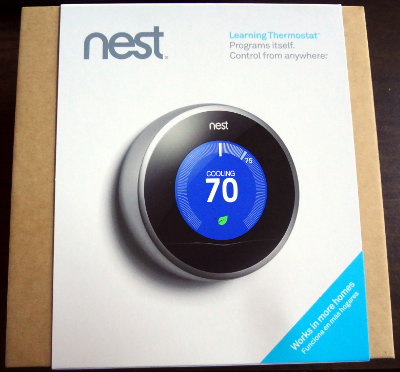
Since the HVAC is being replaced, we also decided this would be a good time to upgrade to a Nest thermostat. I know a couple of people around here who have one and they really like it.
It comes in a simple square box without a lot of decorations. A sticker sealing the box warns you to check their website for compatibility with your existing system before opening.
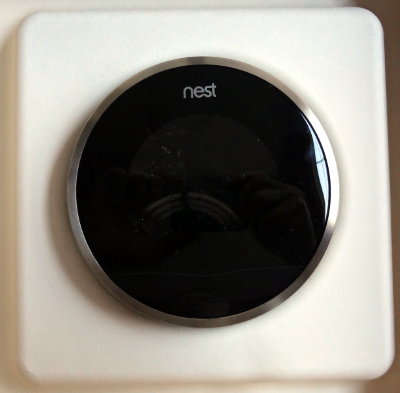
Inside is the Nest, which doesn’t really look like it could get any simpler.
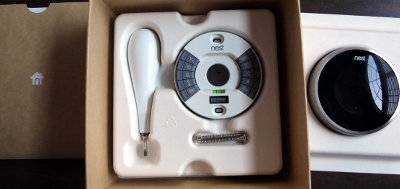
It’s not that large, about 8 cm (~3.5″) in diameter and it’s clicky. It’s a giant button with an outer ring that turns. Underneath is the manual and the mounting hardware.
Installation seems pretty simple too and everything you need (even the screwdriver) is provided for you. The mounting plate even has a built-in bubble level so you can make sure it’s, well, level. Total genius.
On the back of the Nest, there’s the connector at the bottom to connect with the mounting plate. There’s also a micro USB port at the top which can be used to charge the Nest’s internal battery (and is also for service use). I wonder if the computer will see anything if I plug it in.
Looking forward to getting everything installed and getting the Nest hooked up and running.
Update: Plugging the Nest into my computer (Fedora 18) causes it to show up briefly as a storage device with a .pinfo file containing some XML in it. However, it quickly disconnects and goes into a connect/disconnect cycle. Running lsusb shows an unidentified device with USB ID 2464:0002. Perhaps the Nest is looking for somethings specific when detecting a USB connection, and disconnects when it doesn’t find what it’s looking for.