Museum: Collimator core

An essential component of any gamma camera is the collimator. Essentially a hunk of lead with a bunch of tiny little holes in it (modern collimators are made from ridged sheets of lead bonded together to form hexagonal holes like this one).
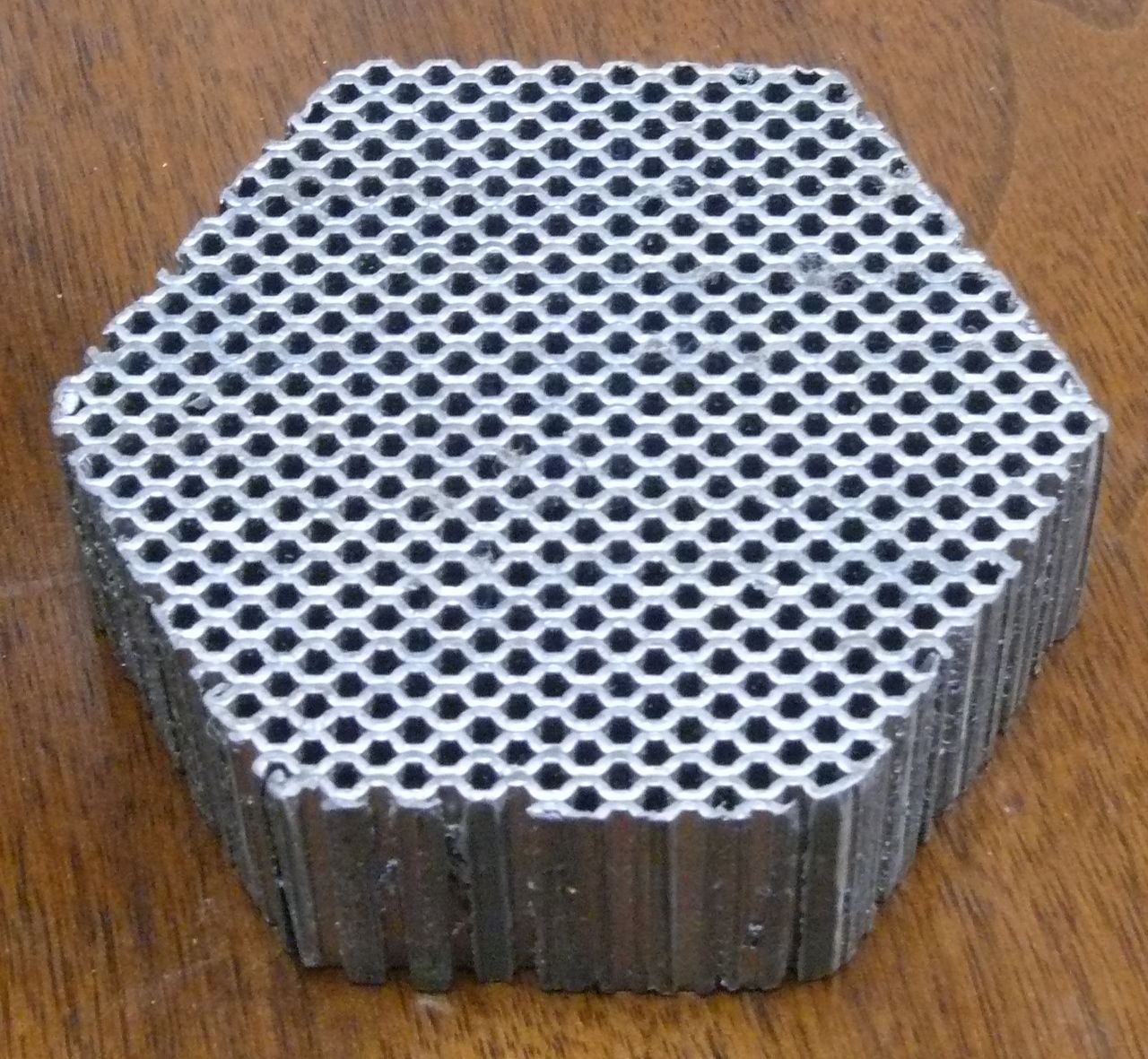
Collimator core

The purpose of the collimator is to restrict the direction from which gamma rays are detected by the gamma camera. They operate like blinders and make it so that the gamma camera can only see gamma rays coming from a particular direction (usually straight ahead perpendicular to the face of the camera). Collimators are necessary because by itself, the gamma camera has no idea what direction a detected gamma ray came from. By limiting the direction gamma rays are detected from, a useful image can be created by the computer.

This image I took by placing the collimator up against the front of my camera lens and a wide open aperature (f3.2). You can see just how limited the field of view becomes with the collimator.

Through the collimator

HP 28S: 21 years of calculating and still going

I was crunching some numbers with my calculator when it suddenly dawned on me that I’ve been using this calculator for 21 years now. 21 years! I know people who weren’t even born when I bought it!
My HP 28S, purchased sometime around 1988 when I was just a lowly undergrad student in my first year of school (could have been 1989, which would make it only 20 years old and me in my second year of school) .
HP 28S Front
I think it was actually the first purchase I ever made with my very first credit card. I remember one of my engineer friends had one, and after playing with his for a bit, I decided I needed one too. It turned out to be probably the best $280Cdn that I ended up spending during my school years.
HP 28S open
These days it doesn’t get used nearly as much as it used to and the calculations it does get used for aren’t nearly as complex. It’s still pretty reliable though and does everything I ask it to.
HP 28S Back
HP 28S circa 1988 serial number 2933A03136. I even have the manuals for it too.
No, you can’t have it.

120GB in the palm of your hand

The new hard drive. It still amazes me that something this small can hold as much as it does, and it’s not even the largest capacity drive available. Quarter presented for size comparison.
Hard drive 1
Hard drive 2

Laptop refresh phase 1

Phase 1 of the laptop refresh project (replacement battery and new RAM) has gone off mostly uneventfully so far. My initial test of the battery gave me a bit of a surprise when the laptop shut itself off after 30 minutes and 86% capacity. For a while I thought I had a dud battery until I realized that it was probably the laptop power profile setting that caused it to turn off. Resetting it to a different profile that didn’t automatically hibernate or shut down gave me much better results, with the laptop running for about 3 hours doing distributed.net work (with the CPU throttled down to half speed on battery power). After a couple of tests, I’m much more confident in the battery now.
The added RAM has done much to improve the performance of the laptop. No more green disk like blinking on constantly while Windows shuffles memory pages in and out of virtual memory. Althought Windows still acts pretty dog slow, it’s much better than it was.
The new hard drive arrived today, so phase 2 can begin any time. Probably won’t do anything until the weekend though. The so far plan is to:
* remove the existing drive and place it into an enclosure
* install the new drive
* create two 60GB partitions on the new drive
* install Windows on one partition
* install Linux (either Fedora 10 or Ubuntu) on the other partition
* restore data from the old drive and reinstall applications